
Instagram Reels Downloader - Free
Save Instagram Reels to your device in high quality — No Watermark, No Login Required. Fast, Free & Easy!
Download Instagram Reels in HD & 4K — Fast & Free
Looking to save your favorite Instagram Reels quickly and in the best quality? TeraLinks makes it simple to download Instagram Reels in high-definition (HD) or even 4K, directly to your device. No watermark, no login, no hassle — 100% free.
Whether it's funny clips, trending Reels, educational videos, or creative content, TeraLinks Instagram Reels Downloader lets you download them all with just one click.
Key Features
- Download Instagram Reels in HD and 4K quality
- No watermark on downloaded Reels
- Fast, one-click downloads
- No app installation or login required
- Works on desktop and mobile devices
Stop wasting time with unreliable tools. TeraLinks Instagram Reels Downloader is the easiest way to save Reels to your device in high quality, completely free. Try it now and enjoy your favorite Reels anytime, anywhere.
Share this tool:
How to Download Instagram Reels with TeraLinks
Follow these simple steps to download Instagram Reels quickly and in high quality. With TeraLinks, you can save your favorite Reels directly to your device — no watermark, no login required.
Step 1: Copy the Instagram Reel Link
Open Instagram, find the Reel you want to download, tap the three-dot menu (•••), and select 'Copy Link'. This works for all public Reels.
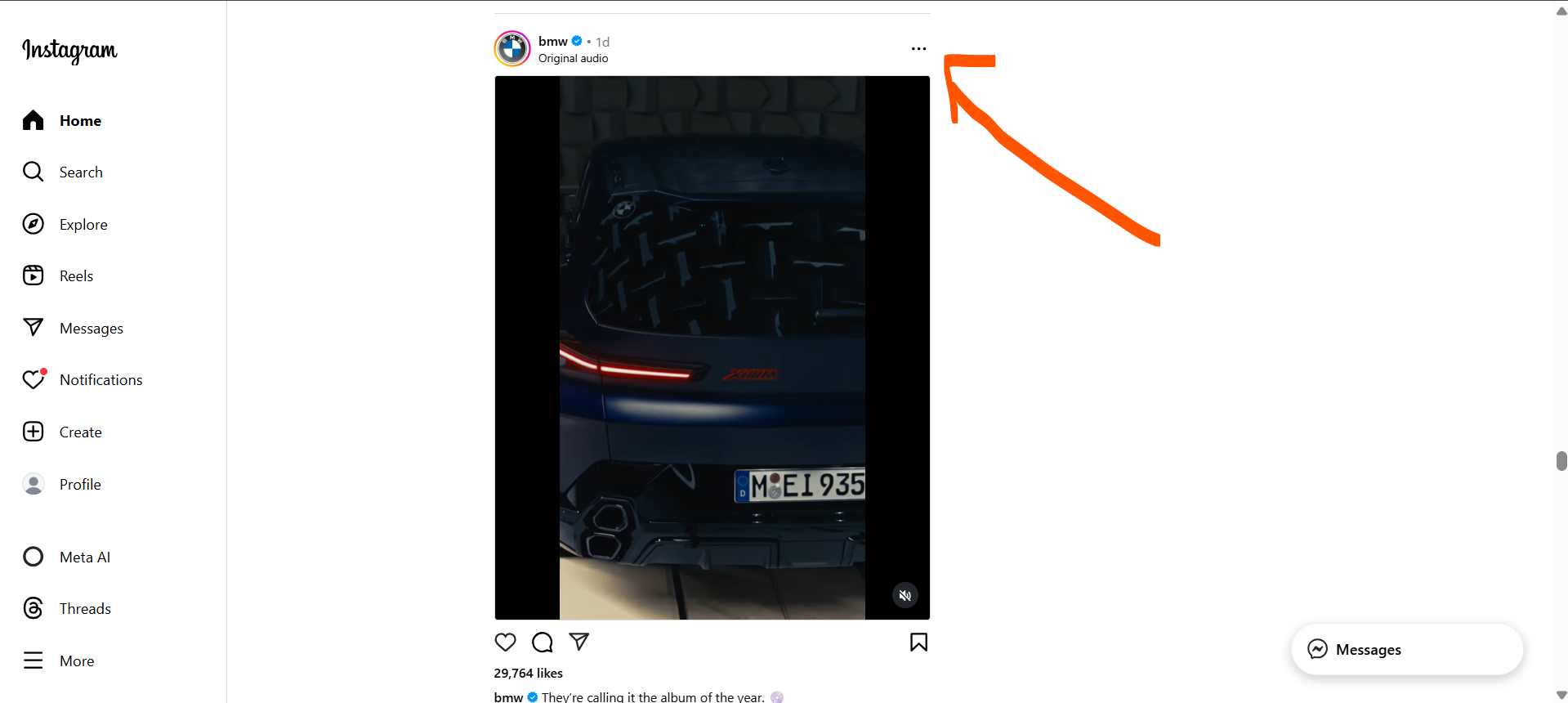
Step 2: Paste the Link into TeraLinks
Return to this page and paste the copied link into the input box above. Our Instagram Reels Downloader supports both desktop and mobile.
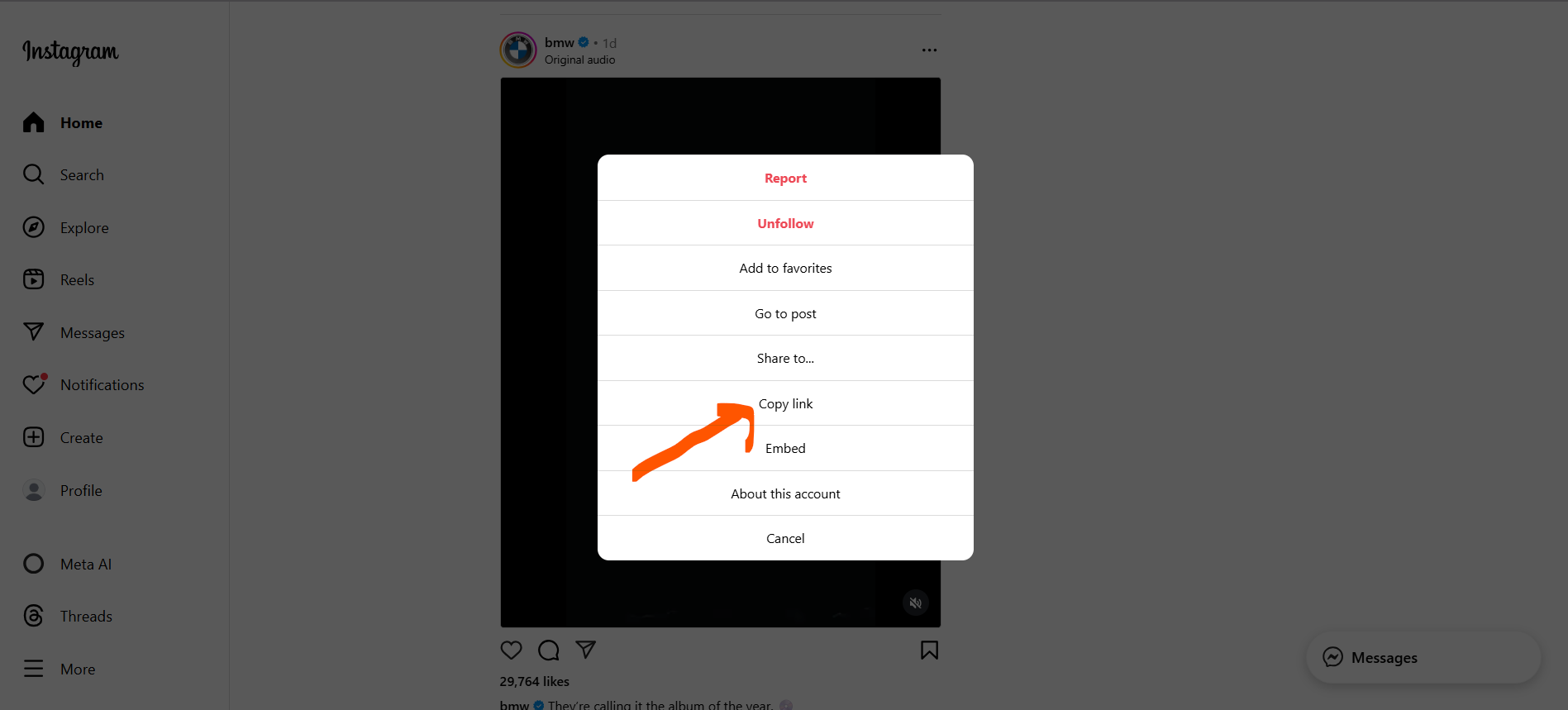
Step 3: Click Download to Fetch Your Reel
Tap the 'Download' button. TeraLinks will instantly fetch the Reel in HD or 4K quality, ready for you to save.
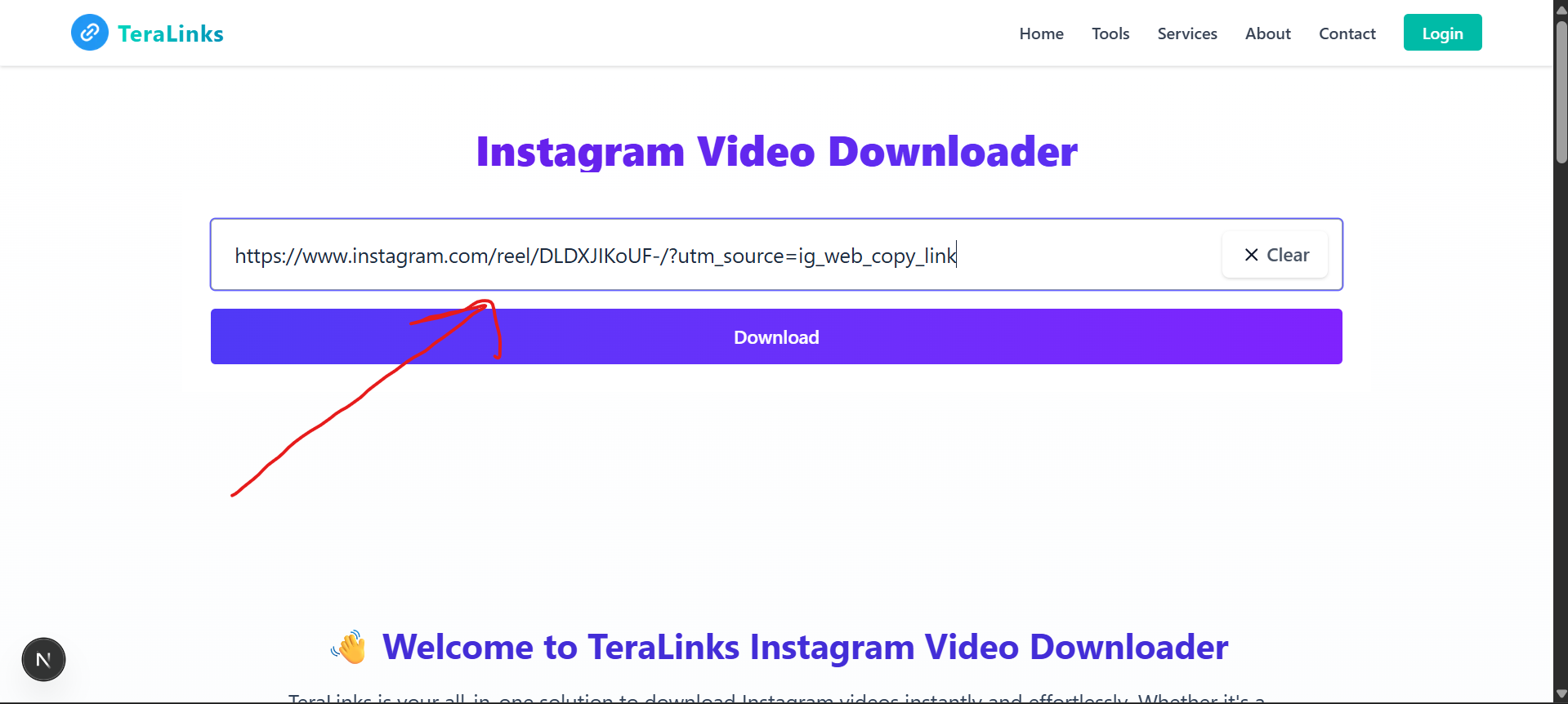
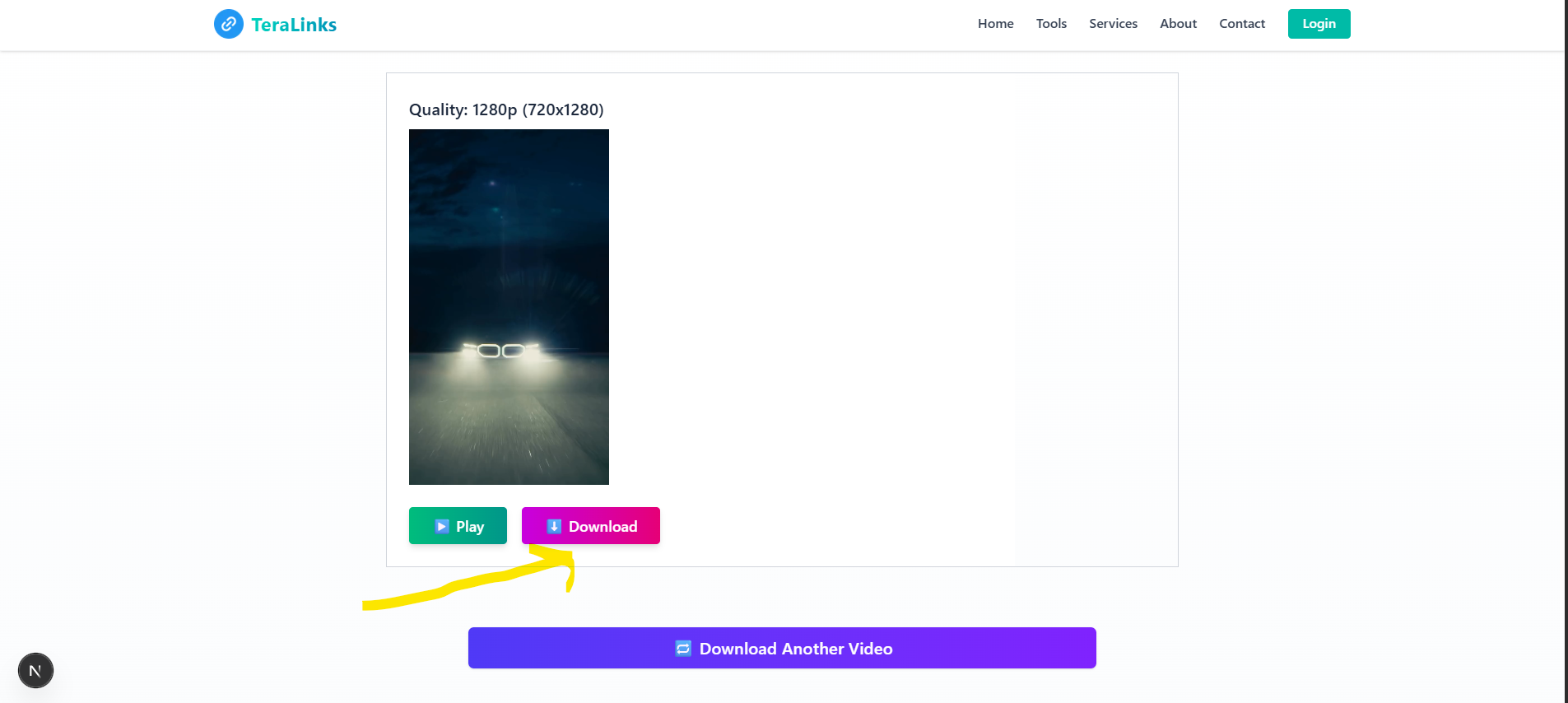
Step 4: Preview & Download the Reel
Preview the Reel to confirm it's correct. Once ready, click 'Download' to save it to your device — watermark-free.
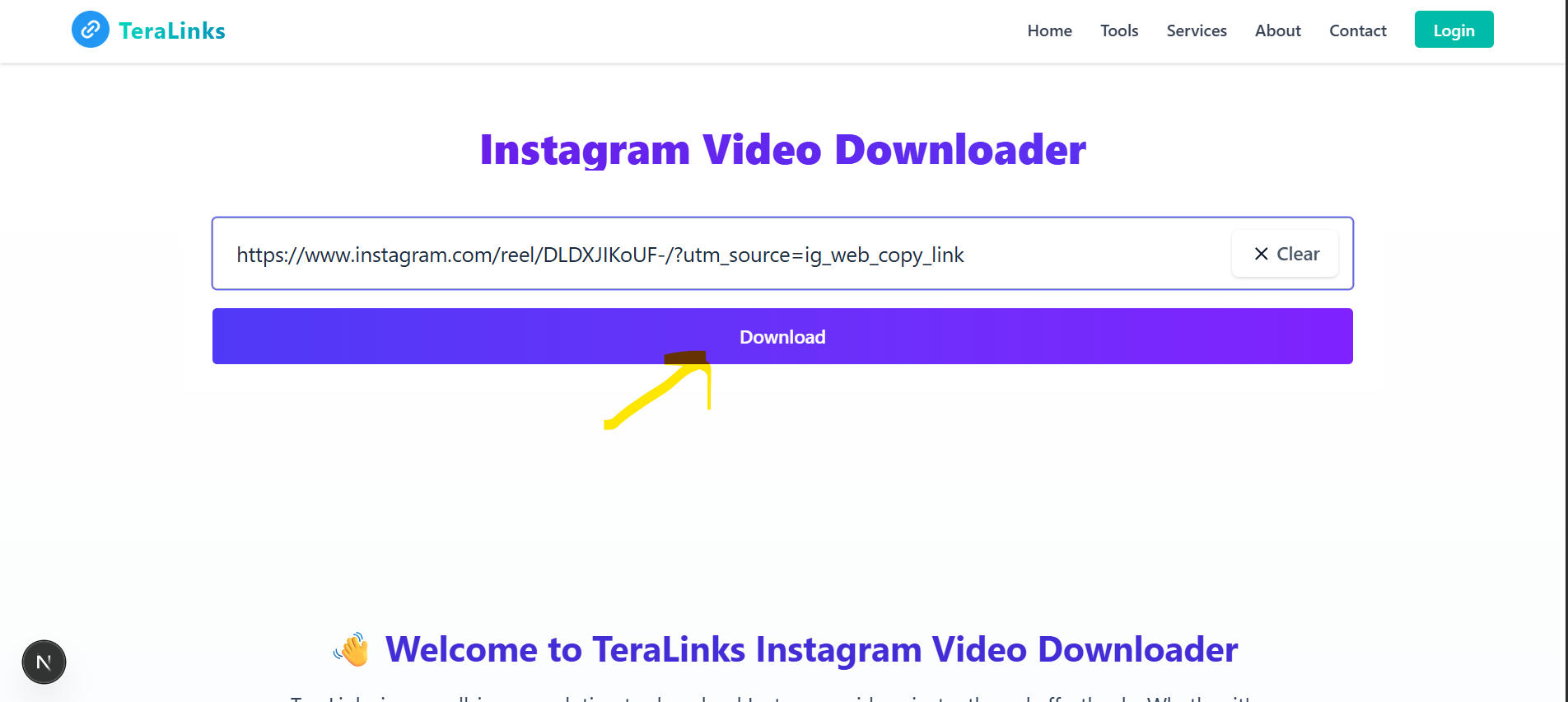
Step 5: Enjoy Your Downloaded Instagram Reels
Your Reel is now saved to your device. Watch it offline anytime, share with friends, or use it for your creative projects!
Common Issues & Solutions
❓Reel won't download or shows 'Failed to fetch'
Make sure the Reel is from a public account. Private accounts cannot be accessed. Also, check if the link is complete and correct.
❓Downloaded Reel has low quality
The quality depends on the original upload. If the creator uploaded in lower quality, that's the maximum available. Try selecting the HD option if available.
❓Download button not working
Clear your browser cache and cookies, then try again. Make sure you're using an updated browser (Chrome, Firefox, Safari, or Edge).
❓Video plays but won't download
Some browsers block automatic downloads. Check your browser's download settings and allow downloads from teralinks.xyz.
❓Link says 'Invalid URL'
Make sure you copied the complete link from Instagram. The link should start with 'https://www.instagram.com/reel/' or 'https://instagram.com/reel/'.
Pro Tips & Tricks
For best quality, always select the HD or 4K option when available
You can download multiple Reels - just paste a new link after each download
Save Reels for offline viewing during travel or when you have no internet
Downloaded Reels can be shared via WhatsApp, Telegram, or other messaging apps
Use downloaded Reels for inspiration or reference in your own content creation
Bookmark this page for quick access whenever you need to download Reels